 TodaysBru
What to look for in a modern AI helpdesk
A buyer’s checklist for evaluating AI answers, conversational requests, knowledge creation, workflows, integrations, and the controls that keep your team in charge.
· 8 min read · The TodaysBru teamComparing AI helpdesks is easier when you follow a real request from question to resolution. A polished chatbot demo tells you little about what happens when an answer is wrong, a request needs approval, or an integration fails. Bring a few representative requests to every evaluation and ask each vendor to run the same scenarios with your documentation.
This guide focuses on internal IT support: helping employees get answers, request equipment and access, and reach a person when they need one. The screenshots show TodaysBru examples; the checklist is intended for evaluating any tool. Treat every capability as something to demonstrate, not something an AI label proves.
1. Deflection before ticket creation
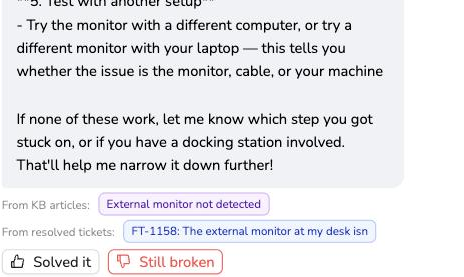
Start with a familiar question, such as how to reconnect to the VPN. Does the assistant give usable steps before opening a ticket, or does it simply classify the request and put it in a queue? Automatic tagging and routing can save agent time, but they do not answer the employee’s question.
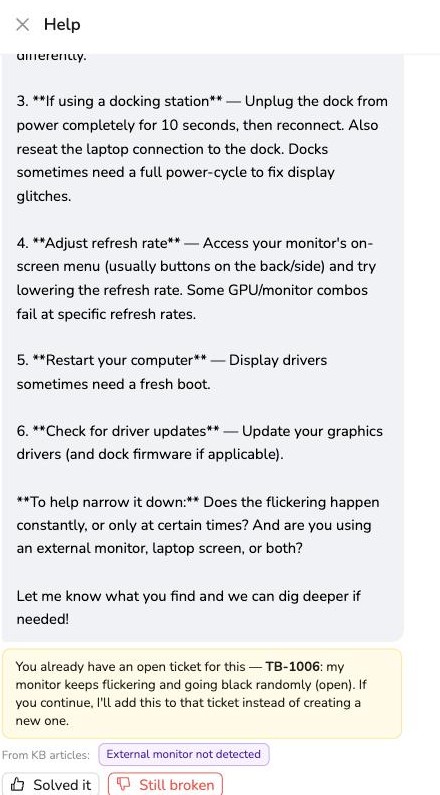
Then say the steps did not work. You should be able to reach a human with the conversation and attempted fixes attached. If a related ticket is already open, look for a choice to continue it instead of creating a duplicate. Measure confirmed helpful answers alongside escalations and repeat contacts; an abandoned chat is not evidence that the problem went away.
2. Grounded answers, with an honest fallback
Ask what the assistant can actually retrieve: published knowledge base articles, resolved tickets, or both. If it uses past tickets, verify that it respects the current requester’s permissions and does not expose another employee’s private details. A ticket-derived answer should distinguish a one-off workaround from current company policy.
Open the citations. Do they support the specific steps in the answer, or merely mention the same topic? Include an outdated article, a question with no documented answer, and a restricted source in your pilot. Look for a clear explanation of uncertainty, a useful follow-up question, or escalation. A confident answer with an unrelated source is still a bad answer.
Keep a small evaluation set with expected answers and failure cases. Review the source, correctness, and handoff for each response, then repeat after changing content or models. NIST’s AI risk management guidance is useful background for organizing evaluation and oversight.
See the source-linked answer examples in our AI chat how-to and the source-ticket review in our knowledge base drafting guide.
3. Structured requests inside a conversation
“I need a laptop” should lead to the right request form without sending the employee on a search. Look for required-field collection, validation, and a readable summary. The assistant should use information already provided and ask only for what is missing.
Confirmation matters. Change a field, cancel the request, and try submitting an incomplete one. Nothing should be submitted just because the assistant guessed what the user intended. A confirmed chat request should follow the same approval and routing policies as the equivalent form submitted directly.
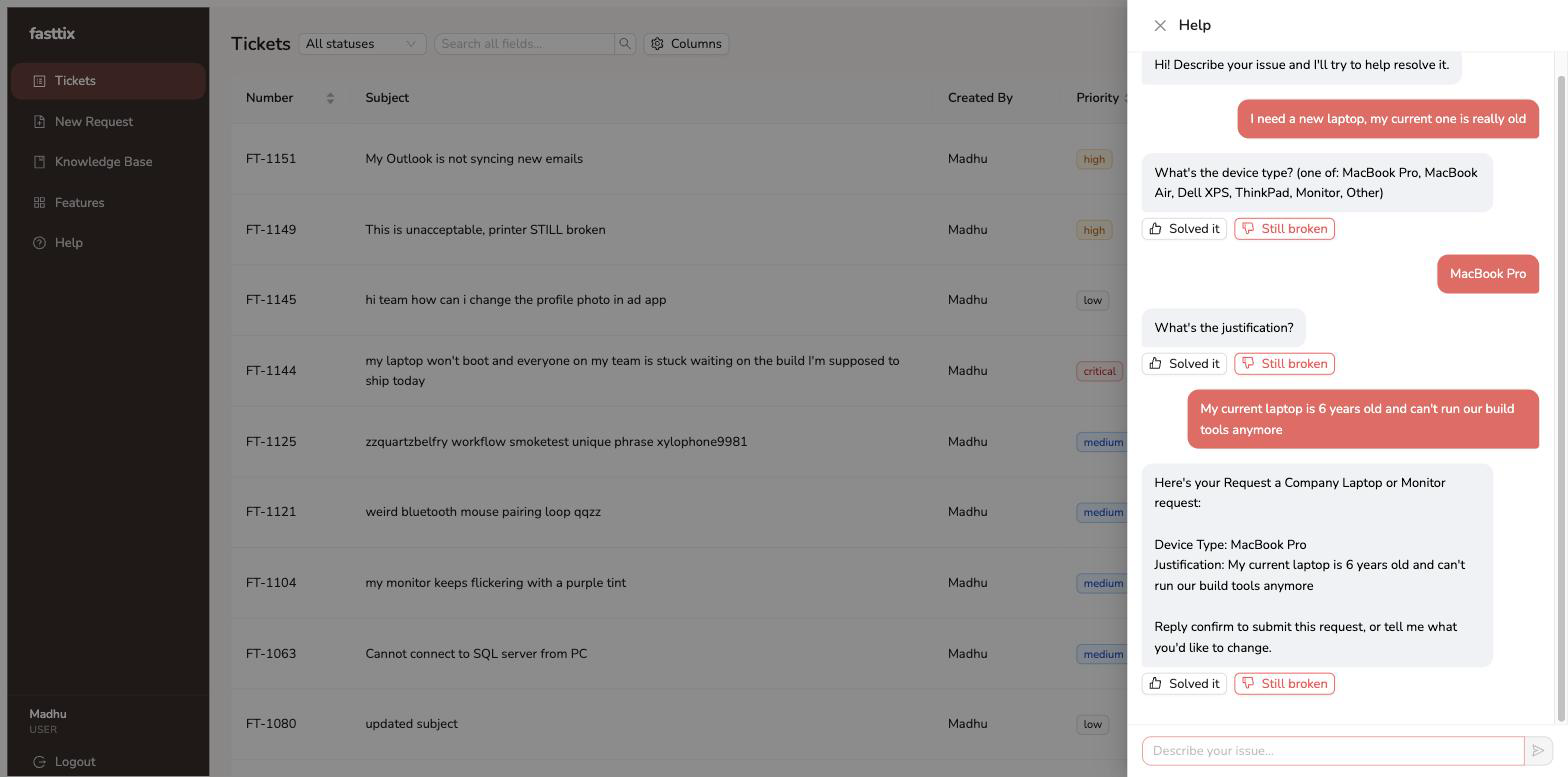 Chat makes the structured request easier to complete; required fields and confirmation still matter.
4. A knowledge base that improves with resolved work
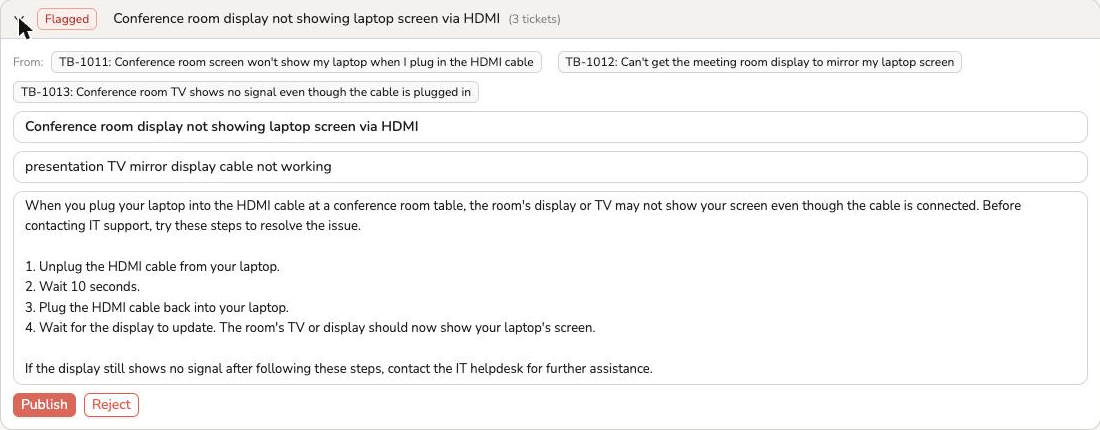
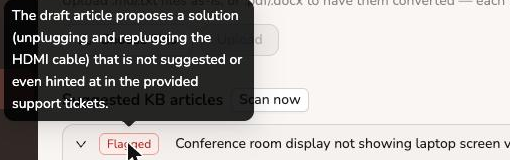
Ask what happens after an agent solves a recurring problem. Can the system identify a documentation gap and draft an article from the resolved tickets, including the evidence behind the proposed steps? A suggestion to “write an article” is much less useful than an editable draft with source links.
The publishing decision should stay with a person. Check that an editor can correct unsupported steps, remove personal details, and keep a draft unpublished. Automated review can flag problems, but a second model’s approval does not replace someone verifying that the instructions work.
5. No-code workflows with enforceable approvals
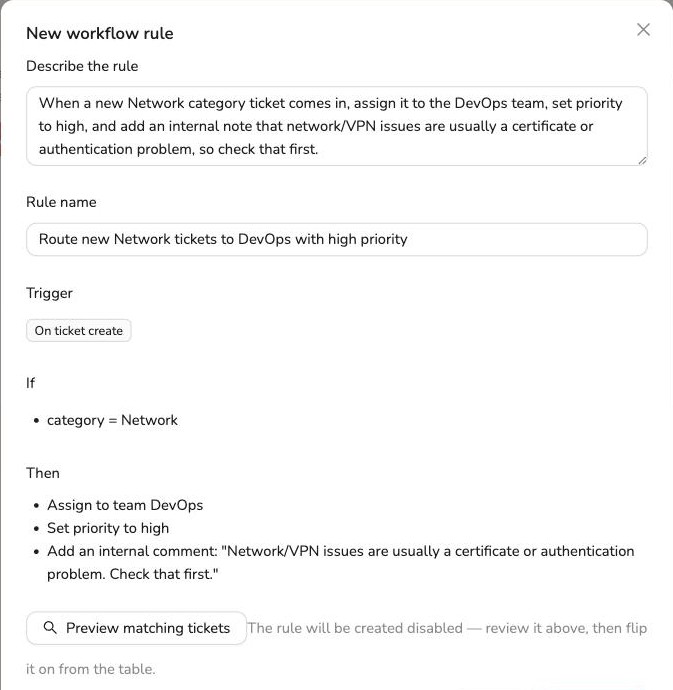
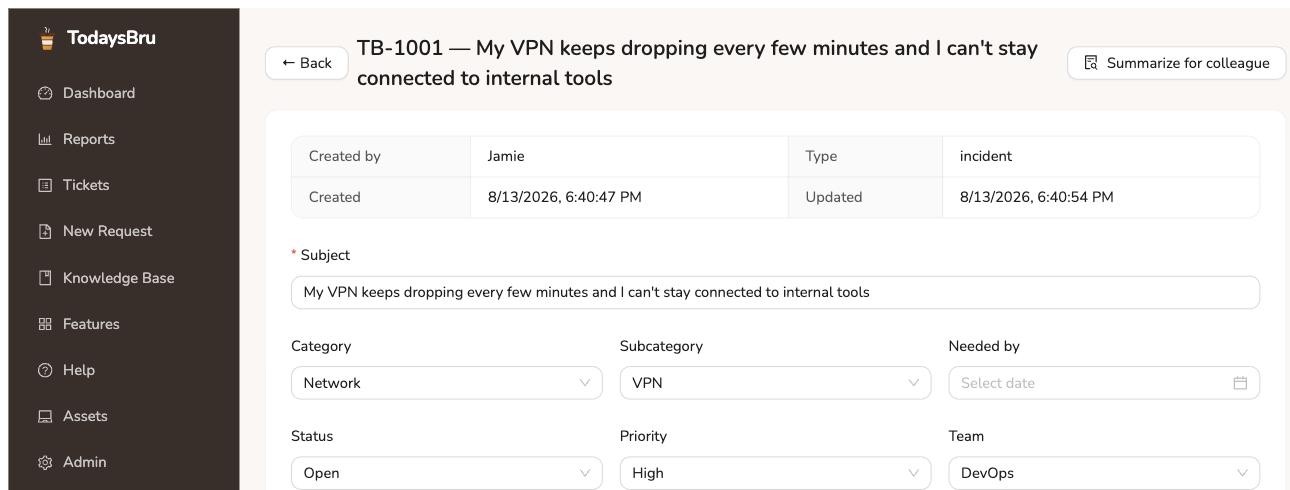
Give the vendor a plain instruction: “Route onboarding requests to Desktop Support and set priority to high.” Look for a reviewable trigger, conditions, and actions, plus a preview before enabling the rule. Ask what happens when two rules match, an action fails, or you need to disable the automation.
Test approvals separately. Have a requester who is also a manager or approver submit an access request. Can they approve their own request, including through a direct link or API? If everyone eligible to approve is also the requester, the system should hold the request or route it to another authorized person, not silently approve it. Check staged approvals, delegation, rejection, and any explicitly configured auto-approval exceptions as well.
Deterministic rules are useful. The question is whether AI helps author or interpret them, and whether runtime behavior is predictable and inspectable. Start with our no-code routing how-to and the request form guide.
6. Trust and control you can verify
Ask to inspect a real action history: who requested the change, what the automation did, who approved it, and when. Confirm that an authorized person can intervene, correct a decision, and disable a workflow. Clarify which actions can be reversed and which require a compensating action.
- Tenant and permission boundaries: demonstrate isolation across search, AI retrieval, attachments, exports, and background jobs, not just the visible ticket list.
- Identity: verify the SSO protocol and plan you need, role mapping, session controls, and what happens when an employee leaves. An Okta provisioning connector alone does not prove SSO support.
- Data handling: ask which model providers receive prompts, what is retained, whether data is used for training, where it is processed, and how deletion and backup retention work.
- Prompt injection: in a test workspace, put instructions in a sample article or ticket that try to reveal restricted information or trigger an unauthorized action. Verify that retrieved content cannot override permission checks or approval requirements.
These are evaluation requirements, not a claim that every product implements every control. For the administrative actions documented in TodaysBru, see data export and account erasure and roles and permissions.
7. Integrations that do the work you need
Replace “Does it integrate?” with a specific task. For Slack, can employees ask questions and submit requests in DMs, channels, or both? Do identity, confirmation, and escalation work in that channel? For Google Workspace and Okta, ask whether the connector handles sign-in, directory sync, account provisioning, group membership, or only notifications. Those are different capabilities.
Request a demonstration against a test workspace, including a denied permission or failed action. Check required scopes, approval gates, audit records, retries, and the risk of duplicate actions. In TodaysBru, the documented Slack chat channel is DMs; do not assume channel monitoring. Use the supported channels guide and workflow walkthrough as starting points, then verify the exact connector operations available for your deployment.
8. Red flags in the demo and the contract
- An AI label on keyword rules: ask the same question in different words and include an ambiguous request. Rule-based routing can be valuable, but it should not be sold as evidence of grounded answer generation.
- No way to evaluate answers: insist on inspecting conversations, sources, negative feedback, and escalations. A headline deflection percentage without a definition or reviewable examples is hard to trust.
- Unclear per-resolution billing: ask what counts as a resolution, whether silence counts, how reopened conversations are credited, and whether handoffs or other actions are billable. Include seat fees, minimum commitments, usage caps, and overages in the comparison.
Outcome-based pricing is not automatically a bad deal; unclear definitions make it hard to budget. For a concrete example of why the definition matters, Intercom’s published outcome rules distinguish confirmed and assumed resolutions and explain credits when a customer returns to the same conversation for more help. Check the current terms for each vendor and model a normal month and a busy month using your own volume.
Bring a five-request pilot to your shortlist
Use one documented question, one undocumented problem, one structured access request, one recurring resolved issue that should become an article, and one request that must not approve itself. Run them with ordinary employee permissions. Record whether the answer was correct and supported, whether a human could take over, what actions happened, and what each outcome would cost.
Compare tools on those observed results. You are choosing a system your team can improve and control, as well as one that answers questions. To see the TodaysBru examples behind this checklist, start with AI chat, conversational forms, knowledge drafts, and workflow routing.